
Chromebooks in Bangladesh

Laptop

Desktop Computer

Server


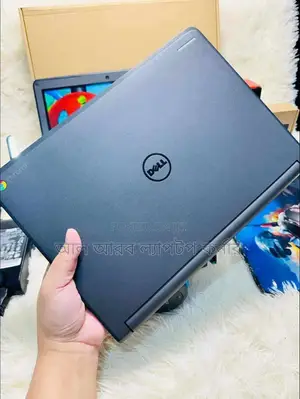
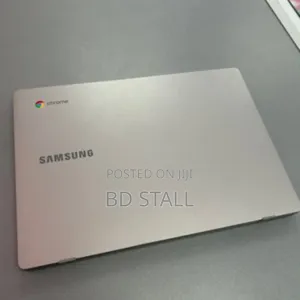
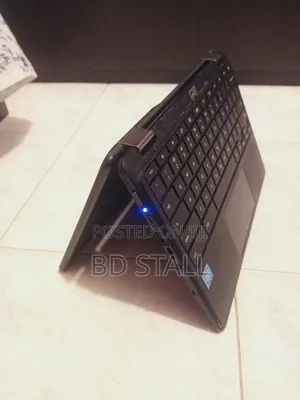
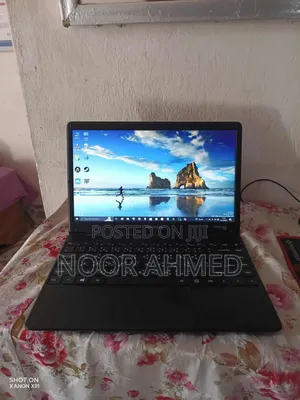


Chromebooks FAQs
💎 Which ones belong to the premium segment?
Chromebooks: The Affordable and Efficient Laptops for Everyday Tasks
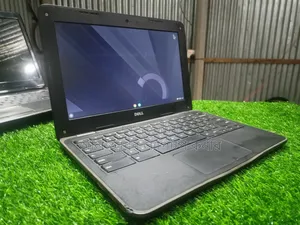
Chromebooks are affordable laptops that run on Google’s lightweight Chrome OS, offering fast performance, long battery life, and seamless integration with Google services. Designed primarily for web-based applications and cloud computing, Chromebooks are popular among students, professionals, and casual users who need a reliable, easy-to-use device for everyday tasks. This guide explores the key features, pros and cons, expert opinions, and frequently asked questions to help you determine if a Chromebook is right for you.
What Makes Chromebooks Different?
Chromebooks are unique because they run on Chrome OS, an operating system built around the Google Chrome browser. Unlike traditional laptops that rely heavily on locally installed software, Chromebooks emphasize web-based applications and cloud storage. They are optimized for users who spend most of their time online, making them ideal for activities like web browsing, streaming, word processing, and online collaboration.
Although Chromebooks have limited offline functionality, they support Android apps from the Google Play Store, significantly expanding their capabilities. This allows users to access a wide range of apps, from productivity tools to entertainment and gaming, even when not connected to the internet.
Key Features of Chromebooks
Chromebooks offer several key features that make them stand out as affordable and efficient devices for everyday use:
- Chrome OS: A fast and lightweight operating system that focuses on web-based applications and Google services. Chrome OS is optimized for cloud computing, providing users with access to Google Docs, Sheets, Drive, Gmail, and more.
- Cloud Storage: Chromebooks typically offer limited internal storage (usually 32GB to 128GB) but are designed for cloud storage. Google Drive integration allows users to store documents, photos, and files in the cloud, freeing up space on the device.
- Long Battery Life: Most Chromebooks provide excellent battery life, often lasting 10 to 12 hours on a single charge, making them ideal for work, school, or travel without frequent recharging.
- Android App Support: Chromebooks can run Android apps from the Google Play Store, giving users access to a wide variety of apps beyond the Chrome browser, including productivity, entertainment, and gaming apps.
- Automatic Updates and Security: Chromebooks receive automatic updates from Google, ensuring they are always up-to-date with the latest features and security patches. Chrome OS also has built-in virus protection and sandboxing to keep your device secure.
Performance and Hardware
Chromebooks are designed for everyday tasks like web browsing, email, word processing, and video streaming. They typically come with low to mid-range processors, such as Intel Celeron, Intel Core i3, or ARM-based processors, paired with 4GB to 8GB of RAM. This hardware is sufficient for most web-based applications and light multitasking.
Higher-end models, such as those with Intel Core i5 or i7 processors, offer more power for users who need additional performance for multitasking, using productivity apps, or running more demanding Android apps. However, Chromebooks are not intended for heavy tasks like video editing or high-end gaming, which are better suited to more powerful devices like Windows laptops or MacBooks.
Display and Build Quality
Chromebooks come in various sizes and designs, with screen sizes typically ranging from 11 to 15 inches. Budget models often have HD displays (1366 x 768 pixels), while higher-end models offer Full HD (1080p) or even 4K displays for sharper visuals and better color accuracy. For users who prioritize media consumption, premium Chromebooks with higher resolution displays are the better choice.
The build quality of Chromebooks can vary, with entry-level models often featuring plastic builds, while more expensive models have aluminum chassis or 2-in-1 convertible designs. Some Chromebooks come with touchscreens and 360-degree hinges, allowing them to be used in both laptop and tablet modes, which is useful for Android apps and media consumption.
Who Should Use Chromebooks?
Chromebooks are perfect for users who primarily work online and need an affordable, fast, and secure laptop for everyday tasks. Here are some groups who can benefit from Chromebooks:
- Students: Chromebooks are great for students due to their low cost, long battery life, and integration with Google’s suite of productivity tools (Google Docs, Sheets, and Drive), making them ideal for schoolwork, research, and online collaboration.
- Remote Workers: For professionals who rely on web-based tools like Gmail, Google Drive, and Zoom, Chromebooks offer a reliable and portable solution with seamless connectivity to online resources and cloud storage.
- Casual Users: Chromebooks are a great choice for users who need a simple device for web browsing, email, streaming, and social media without the complexity or cost of a traditional laptop.
Pros and Cons
Pros:
- Affordability: Chromebooks are generally more affordable than Windows or Mac laptops, making them accessible to a wide range of users, including students and budget-conscious buyers.
- Fast Boot Times: Chrome OS is lightweight and optimized for speed, allowing Chromebooks to boot up quickly and run smoothly, even with limited hardware.
- Automatic Updates: Chromebooks receive regular automatic updates, keeping the device secure and up-to-date with the latest features without user intervention.
- Long Battery Life: Most Chromebooks offer all-day battery life, making them ideal for use at school, work, or on the go without worrying about frequent charging.
- Android App Support: Chromebooks can run Android apps from the Google Play Store, greatly expanding their functionality beyond web-based applications.
- Simplicity and Security: Chrome OS is designed to be simple, secure, and easy to use, with built-in virus protection and sandboxing for safe browsing.
Cons:
- Limited Offline Functionality: Chromebooks are optimized for web-based applications, which means their offline capabilities are limited compared to traditional laptops. Some apps can be used offline, but most functions require an internet connection.
- Limited Software Options: Chromebooks do not support traditional desktop software like Adobe Photoshop or Microsoft Office (though Office 365 can be accessed via the web), which may be a drawback for users who need specific programs.
- Not Ideal for Heavy Tasks: Chromebooks are not designed for intensive tasks like video editing, advanced gaming, or software development, making them less suitable for users who need high-performance devices.
Expert Opinions
Tech experts frequently recommend Chromebooks for users who need an affordable, fast, and secure laptop for everyday tasks. They are particularly praised for their long battery life, lightweight design, and seamless integration with Google’s ecosystem of apps and services. Chromebooks are often seen as the perfect choice for students, remote workers, and casual users who prioritize simplicity and web-based productivity.
However, experts also point out that Chromebooks are not suitable for users who rely on high-end software or need powerful hardware for more demanding tasks. While Android app support adds versatility, Chromebooks are best suited for users who primarily work online and don’t require extensive offline capabilities.
User Reviews and Feedback
User Testimonials
“I’ve been using a Chromebook for school, and it’s been perfect for my needs. It boots up fast, the battery lasts all day, and I can access all my Google Docs and assignments easily. It’s lightweight too, which makes it great for carrying around campus.” – Aisha Karim, Dhaka
“The Chromebook I bought has been great for my remote work. I use Google Drive, Gmail, and Zoom all the time, and it runs everything smoothly. I love that it’s fast, affordable, and doesn’t get bogged down with unnecessary software.” – Rahim Uddin, Chittagong
Expert Reviews
“Chromebooks offer a simple, fast, and affordable solution for users who need a reliable laptop for everyday tasks. They’re ideal for students and professionals who rely on web-based tools and Google services. While not suited for heavy tasks, Chromebooks excel in portability and ease of use.” – Sharmin Akhter, Tech Reviewer
“For users who live in the cloud, Chromebooks provide an efficient and secure option. They are affordable, come with long battery life, and run Chrome OS, which is optimized for web-based productivity. The addition of Android apps gives them even more versatility.” – Imran Hossain, Mobile Expert
Frequently Asked Questions
Can Chromebooks be used offline?
Yes, Chromebooks can be used offline, but their functionality is limited. Many Google apps, such as Google Docs, Sheets, and Gmail, offer offline modes, allowing you to work without an internet connection. However, most Chromebooks are optimized for cloud-based tasks, so they work best when connected to the internet.
Can I install Microsoft Office on a Chromebook?
While you cannot install the desktop version of Microsoft Office on a Chromebook, you can use Office 365, the web-based version of Microsoft Office, or download the Android apps for Word, Excel, and PowerPoint from the Google Play Store.
Are Chromebooks good for gaming?
Chromebooks are not designed for high-end gaming, but they can handle casual gaming, especially Android games from the Google Play Store. Cloud gaming services like Google Stadia can also be used on Chromebooks for more advanced gaming experiences.
Final Thoughts
Chromebooks are an excellent choice for users who need an affordable, fast, and secure laptop for web-based tasks, such as browsing, word processing, and video streaming. With their integration with Google services, automatic updates, and Android app support, Chromebooks offer a versatile solution for students, professionals, and casual users alike. While they may not be suited for heavy tasks, Chromebooks provide a reliable and budget-friendly option for everyday computing needs.
Choose a Chromebook for a fast, affordable, and easy-to-use laptop that excels at web-based productivity and cloud computing.


